Discover How Smart Heating Technology Keeps Your Feet Perfectly Warm with StipoWak Heated Insoles
Tired Of Constantly Cold Feet Ruining Your Winter Activities?
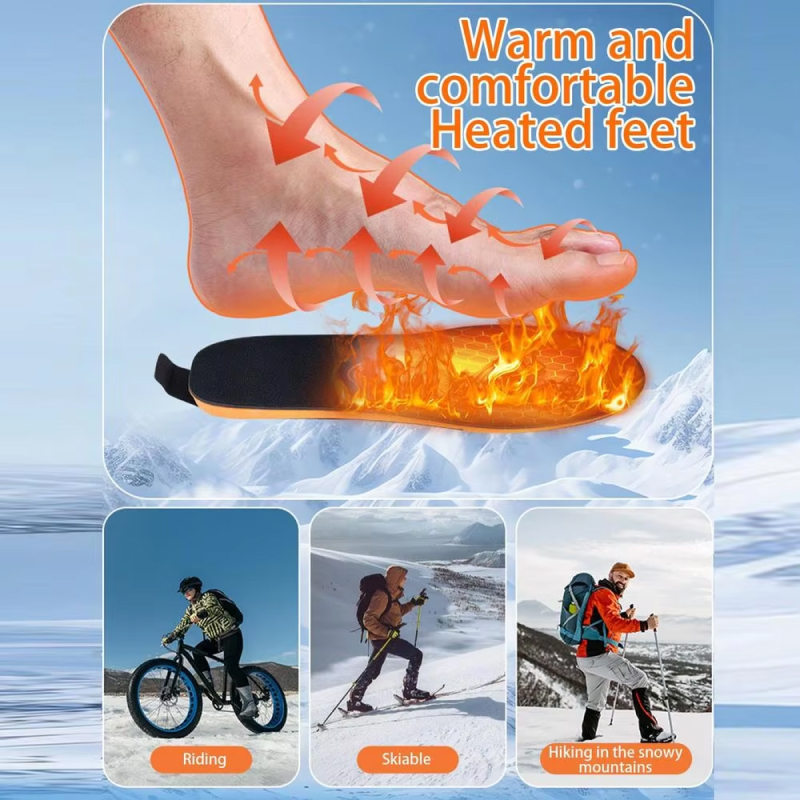
Say goodbye to uncomfortable cold feet that limit your outdoor enjoyment. StipoWak Heated Insoles deliver consistent, adjustable warmth between 40-60°C, creating the perfect microclimate for your feet. Whether you’re hiking mountain trails, walking to work, or enjoying winter sports, these intelligent insoles adapt to your comfort needs throughout the day, ensuring every step feels warm and inviting.
Looking For Hassle-Free Temperature Control Without Bulky Remotes?
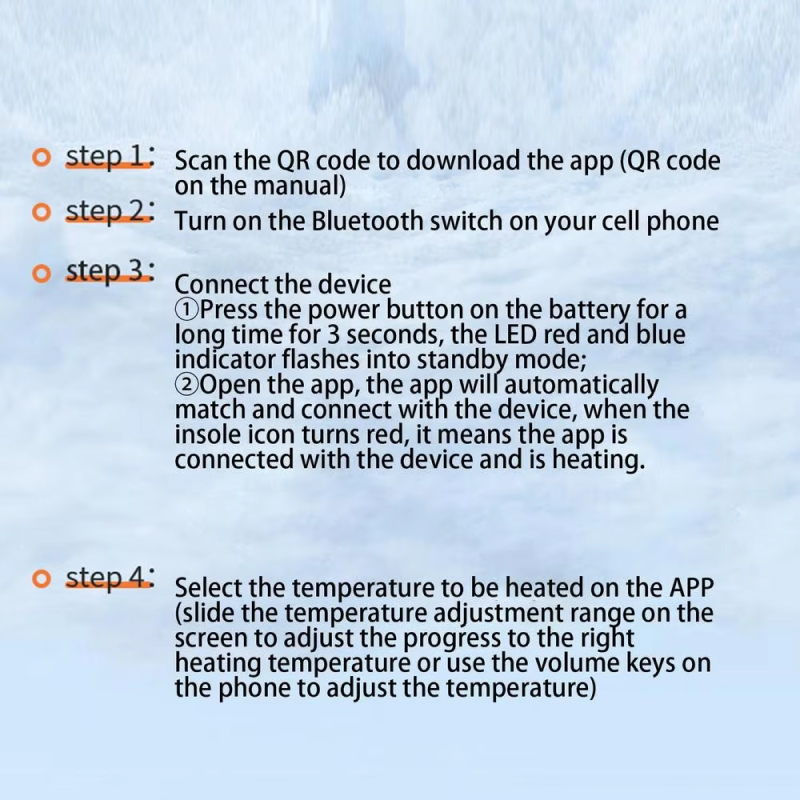
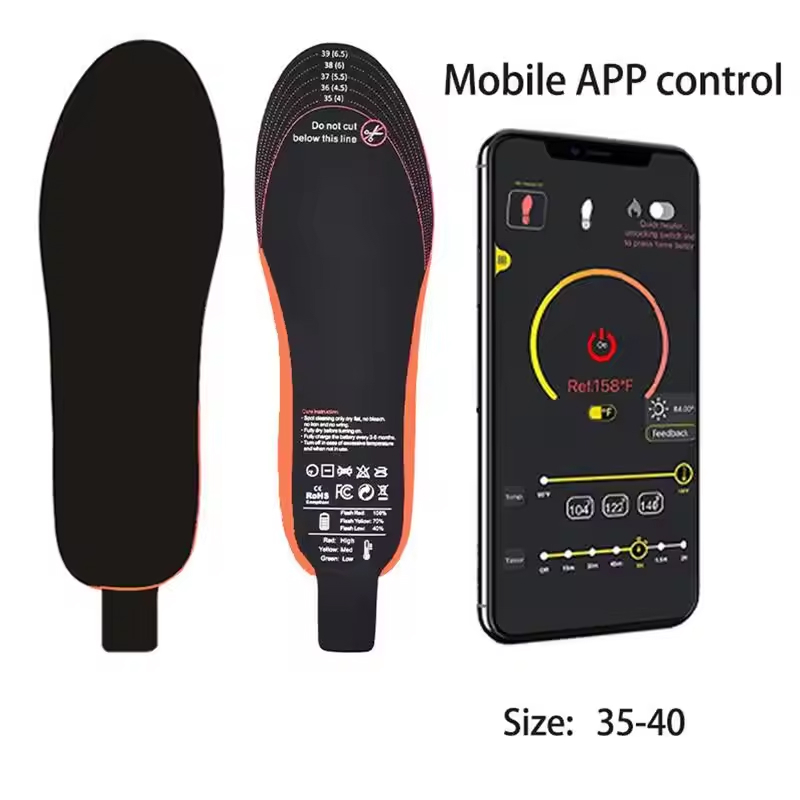
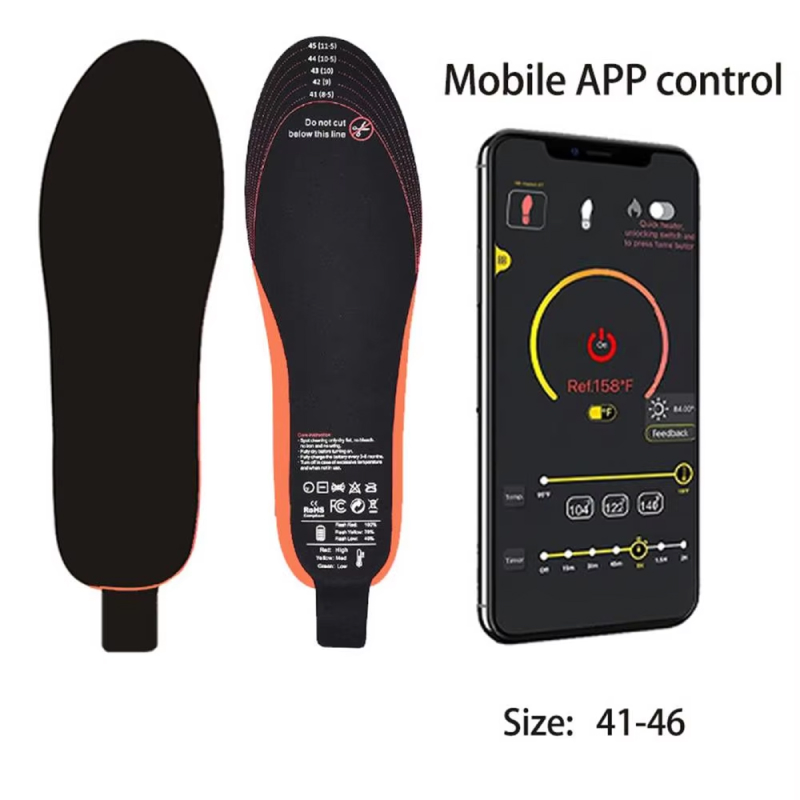
Experience the freedom of smartphone-controlled heating that puts comfort at your fingertips. The StipoWak mobile app eliminates fumbling with physical controls, allowing you to adjust temperature levels instantly from your phone. This intuitive system lets you customize your warmth preferences on the go, providing seamless comfort management that fits naturally into your active lifestyle without adding bulk or complexity.
Worried About Battery Life During Long Outdoor Adventures?
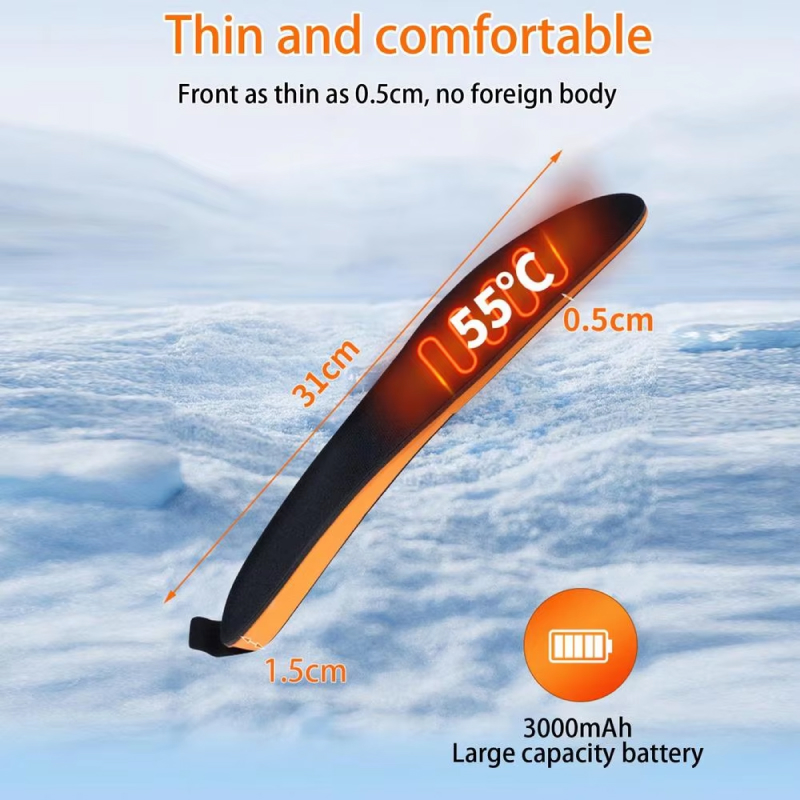
Trust in reliable, long-lasting power that keeps pace with your busiest days. The robust 3000mAh battery in StipoWak Heated Insoles provides up to 9 hours of continuous warmth, ensuring you stay comfortable from morning commute to evening activities. Strategic heating element placement guarantees even heat distribution, while the efficient power system maximizes battery life, giving you all-day confidence in any winter condition.
Engineered For Comfort: Advanced Features That Make Every Step Feel Better
Beyond exceptional heating, StipoWak offers thoughtful design elements that enhance your daily comfort. From custom sizing to superior cushioning, every feature works together to support your active lifestyle.
StipoWak represents a significant advancement in heated insole technology, combining efficient thermal management with ergonomic design to deliver exceptional comfort and reliability for winter activities.
Why Health-Conscious Individuals Trust StipoWak Heated Insoles For Superior Winter Comfort
StipoWak FEATURES ALL YOU EXPECT:
INTELLIGENT TEMPERATURE MANAGEMENT
The sophisticated mobile app interface gives you complete control over your comfort level, allowing precise temperature adjustments between 40-60°C. This smart technology responds to changing conditions instantly, ensuring your feet maintain optimal warmth whether you’re transitioning from outdoors to indoors or adjusting to varying activity levels throughout your day.
EXTENDED COMFORT DURATION
With an impressive 9-hour battery capacity, StipoWak Heated Insoles eliminate the anxiety of running out of power during important activities. The efficient 3000mAh battery system provides reliable, consistent warmth from early morning until evening, supporting your entire day without requiring mid-day recharging or carrying backup batteries.
PERSONALIZED FIT SOLUTION
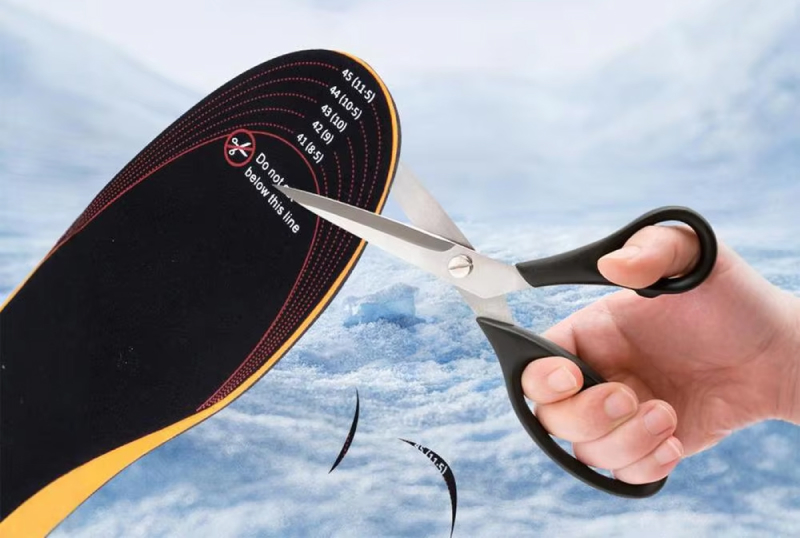
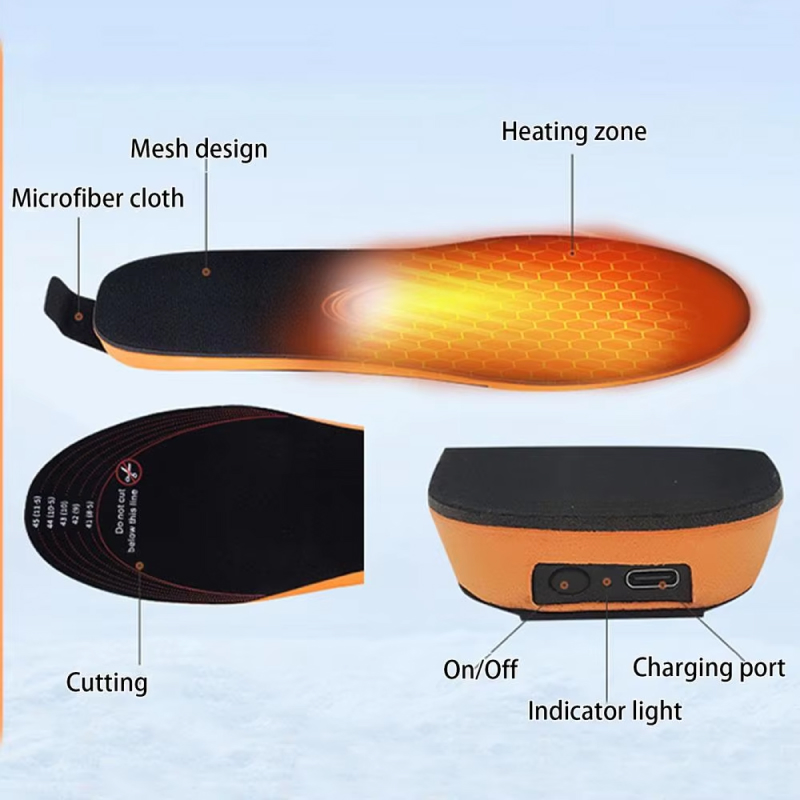
The innovative trim-to-fit design ensures StipoWak adapts perfectly to your unique foot shape and shoe size. This customization capability means you can enjoy optimal comfort across all your favorite footwear, from winter boots to everyday sneakers, without compromising fit or effectiveness in any situation.
RAPID HEAT DISTRIBUTION
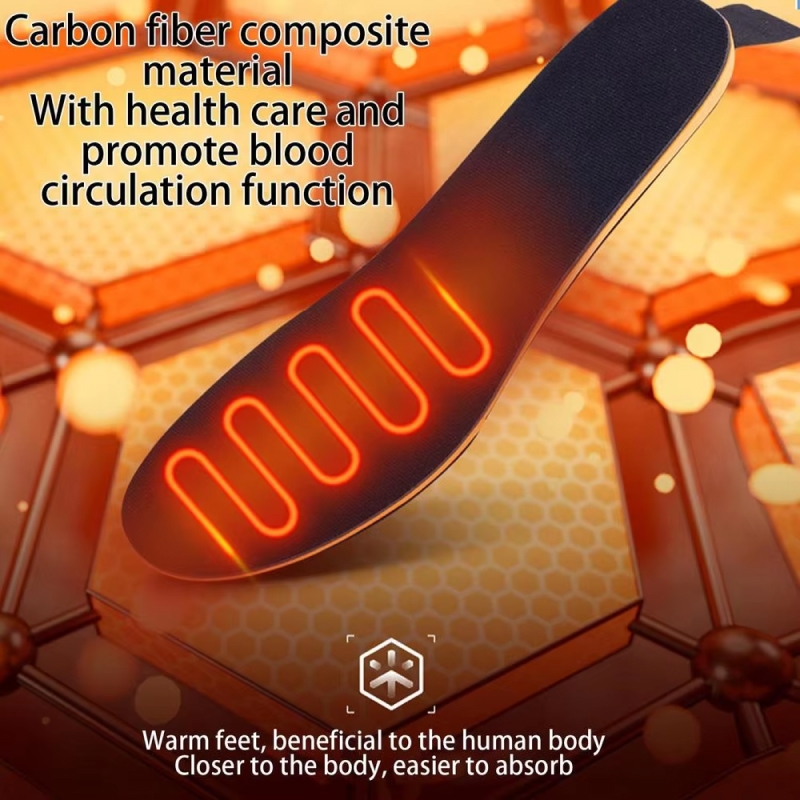
Strategic perforation placement throughout the insole creates an efficient heating network that distributes warmth evenly across your entire foot. This thoughtful engineering prevents hot spots while ensuring rapid temperature response, delivering comprehensive comfort that reaches every area from heel to toe within minutes of activation.
ENHANCED FOOT SUPPORT
Beyond heating, StipoWak incorporates premium shock-absorbing materials that cushion each step and reduce impact stress on your feet and joints. This dual-function design supports your overall foot health while providing therapeutic warmth, making these insoles ideal for anyone seeking both comfort and wellness benefits during winter activities.
MULTI-ACTIVITY VERSATILITY
Whether you’re hiking challenging trails, commuting to work, skiing down slopes, or simply running errands around town, StipoWak adapts seamlessly to your lifestyle. The versatile design performs excellently across diverse activities and environments, making these heated insoles your reliable companion for every winter adventure and daily routine.
Image Gallery
What’s Included in Your StipoWak?
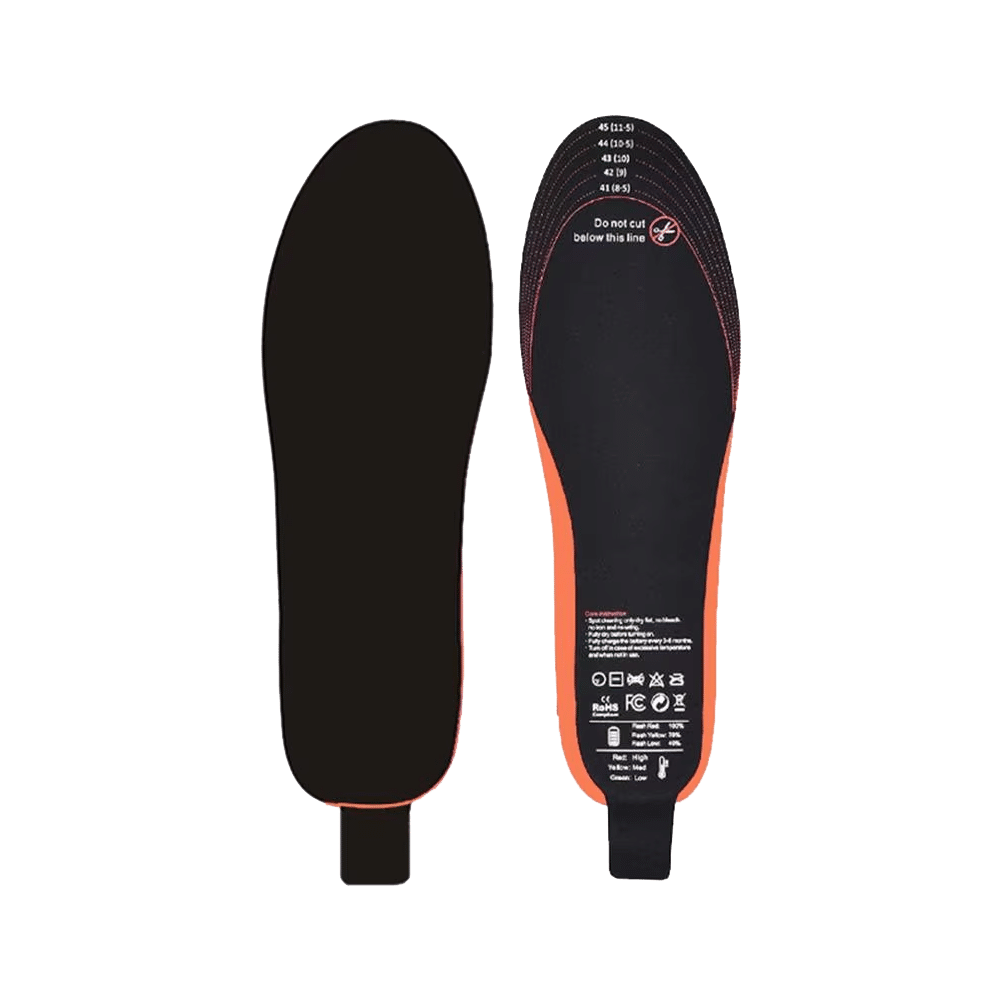
Heated Insole
Charging Cable
User Manual
24/7 Customer Support
Our support team is available every day to assist you via email or live chat. Reach out to us anytime, and we’ll be glad to help.
MEET THE StipoWak
Frequently Asked Questions
How long does it take for the insoles to reach the desired temperature?−
StipoWak insoles heat up quickly, typically reaching your selected temperature within 3-5 minutes of activation. The efficient heating elements ensure rapid warmth distribution across the entire insole surface for immediate comfort.
Can I use StipoWak insoles in any type of footwear?+
Yes, the trim-to-fit design allows StipoWak to work with most footwear types including boots, sneakers, and work shoes. Simply trim to match your shoe size for optimal fit and performance.
Is the mobile app compatible with both iOS and Android devices?+
The StipoWak app is compatible with both iOS and Android smartphones. Download the free app, pair via Bluetooth, and enjoy seamless temperature control from your device.
How do I properly trim the insoles for my shoe size?+
Place the insole over your existing shoe insert, trace the outline, and carefully trim along the marked line using sharp scissors. Start conservatively—you can always trim more if needed.
Are the insoles waterproof or water-resistant?+
The insoles are water-resistant and can handle light moisture and snow. However, they should not be submerged in water or worn during activities involving heavy water exposure.
How do I charge the battery and how long does charging take?+
Charging takes approximately 3-4 hours using the included USB cable. Simply connect to any USB power source, and the indicator light will show when charging is complete.
Can I wash or clean the StipoWak heated insoles?+
Remove the battery pack, then spot-clean the insoles with a damp cloth and mild soap. Allow them to air dry completely before reinserting the battery and using again.
What happens if I lose my phone during use?+
The insoles will maintain their last temperature setting even without phone connection. You can reconnect your phone anytime to adjust settings or use the manual button on the battery pack.
TOP #1 CANADA’S FAVORITE Heated Insole
Trusted by Thousands of Satisfied Customers
Jennifer Martinez
As someone who suffers from poor circulation, these StipoWak insoles have been absolutely life-changing for me. I can finally enjoy my morning walks without that painful cold sensation in my toes. The app control is incredibly convenient, and I love that I can adjust the temperature without stopping. The battery truly does last all day, which means I don’t have to worry about my feet getting cold during long shopping trips or outdoor events. The comfort level is exceptional too—they provide great cushioning alongside the warmth.
VERIFIED BUYER
Robert Thompson
I work outdoors in construction, and winter months used to be miserable for my feet. Since getting StipoWak heated insoles, my productivity has improved because I’m not constantly distracted by cold, aching feet. The 9-hour battery life easily covers my entire work shift, and the shock absorption helps reduce fatigue after long days on concrete. I appreciate how easy they are to trim and fit into my work boots. The app control is simple enough to use even with work gloves on, which is a huge plus.
VERIFIED BUYER
Sarah Chen
These heated insoles have transformed my winter hiking experience completely. I used to cut trips short because of frozen toes, but now I can enjoy full-day adventures in comfort. The StipoWak insoles heat up quickly when I start my hike, and the temperature control lets me adjust as I warm up from exertion. I’m impressed by how lightweight they are—I barely notice them in my hiking boots. The even heat distribution means no cold spots, and the cushioning provides excellent support on rocky trails. Absolutely worth every penny for outdoor enthusiasts.